
Proper maintenance is crucial for the Dyson hair dryer to deliver optimal performance. The most important task is to clean and maintain the filter regularly. A clean filter ensures powerful airflow and helps prevent damage to the internal motor. Unlike a standard AC hair dryer from a typical hair dryer factory, this advanced BLDC hair dryer requires specific care. Following these expert tips will increase the lifespan of your dyson hairdryer.
Pro Tip: Consistent filter maintenance is the key to protecting your investment and ensuring your Dyson hair dryer performs like new for its entire lifespan. Any leading hair dryer manufacturer would agree that airflow is essential.
The #1 Rule: Master the Filter Clean
The single most effective action to maintain a Dyson hair dryer is regular filter maintenance. This simple task is the foundation of the machine’s health, directly impacting its power, safety, and longevity. Understanding why and how to perform this cleaning is essential for every owner.
Why a Clogged Filter is Your Dryer’s Enemy
A dirty filter is the primary cause of most performance issues. It silently chokes the machine, leading to a cascade of problems that can cause permanent damage over time.
The Science of Airflow Restriction
The Dyson digital motor is engineered to pull in a high volume of air through the filter at the base of the handle. When dust, hair, and styling product residue clog this filter, the motor cannot draw in the air it needs. This restriction forces the motor to work harder to achieve the same output, reducing the powerful airflow that defines the Dyson experience.
Overheating and Automatic Shutdowns
Restricted airflow is a common culprit behind user-reported issues like unexpected shutdowns. A clogged filter traps heat within the device. The dryer’s intelligent heat control system detects this temperature spike and triggers an automatic shutdown to prevent overheating and protect the internal components. While this is a helpful safety feature, frequent shutdowns are a clear warning sign.
Alert: An overheating dryer that shuts down mid-use is often a direct symptom of a blocked filter needing immediate cleaning.
Long-Term Motor Strain and Damage
Consistently forcing the motor to operate with poor airflow places it under significant strain. This sustained stress accelerates wear and tear on the motor’s delicate components. Over months and years, this can lead to a permanent decrease in performance and may ultimately shorten the lifespan of the dryer.
Your Cleaning Schedule: How Often is Enough?
Establishing a consistent cleaning routine is key. The ideal cleaning frequency depends on usage habits, hair type, and the styling products used. These expert tips will help establish a proper schedule.
The General Rule: Once a Month
For the average user, a monthly cleaning is the recommended baseline. Setting a recurring calendar reminder is an excellent way to make this crucial task a habit. This simple action helps prevent the gradual buildup in the filter that degrades performance.
Signs It’s Time for a Clean
The dryer provides clear signals when it needs attention. Look for these indicators:
- The device unexpectedly shuts off during use.
- The airflow feels weaker than usual.
- The white LED lights on the barrel flash continuously.
- Visible dust or lint is coating the outer filter cage.
Adjusting for Heavy Use
Not all users have the same needs. The recommended cleaning frequency should be adjusted based on individual factors. A professional stylist or someone with thick, long hair will need to clean the filter more often than a person with fine hair who styles occasionally.
| Usage Profile | Recommended Cleaning Frequency |
|---|---|
| Heavy Daily Use / Professional | Monthly |
| Thick or Curly Hair | Every 1-2 months |
| Regular Use / Fine Hair | Every 2-3 months |
| Occasional Styling | Quarterly |
How Styling Products Accelerate Buildup
Airborne particles from hairspray, dry shampoo, and texturizing mists are drawn into the dryer’s filter. These sticky residues act like a magnet for dust and lint, causing clogs to form much faster than they would from dust alone. Heavy product users must be extra vigilant with their cleaning schedule.
Step-by-Step: Cleaning Your Filter in 60 Seconds
This quick and easy step-by-step guide makes filter cleaning a simple part of any routine. Following this step-by-step guide correctly ensures the dryer is ready for optimal performance.
Step 1: Unplug for Safety
Before starting any cleaning, always ensure the Dyson hair dryer is unplugged from the power outlet. This is the most important step for safety.
Step 2: Release the Filter Cage
Hold the dryer’s handle firmly. Twist the filter cage at the bottom of the handle counter-clockwise and pull down to release it from the main body.
Step 3: Wipe the Outer Cage
Use a clean, dry, lint-free cloth to wipe away any dust and debris from the exterior of the filter cage.
Step 4: Clean the Inner Mesh
With the outer cage removed, gently wipe the delicate inner filter mesh with another dry, lint-free cloth. Be thorough but gentle to avoid damaging the fine mesh. This step-by-step guide ensures a complete cleaning.
Step 5: Reassemble Correctly
Slide the clean filter cage back onto the handle, ensuring it is correctly aligned. Twist it clockwise until it clicks securely into place. A proper seal is vital for correct airflow.
Beyond the Filter: Smart Handling and Storage
While filter cleaning is paramount, physical care and smart storage practices are equally vital to protect your investment. Proper handling prevents accidental damage to the cord, body, and attachments. Following these expert tips will help maintain the dryer’s integrity and appearance for years to come.
Protect the Power: Proper Cord Care
The power cord is the lifeline of your Dyson hair dryer. It requires specific care to prevent internal wire damage that can lead to performance issues or safety hazards. Thoughtful cord care is a simple habit that pays off.
The “Don’t” List for Your Cord
Users should avoid certain common but harmful habits.
- Don’t wrap the cord tightly around the dryer’s body or handle. This creates sharp bends that strain the internal wiring.
- Don’t let the cord dangle from a high shelf or hook, as this puts stress on the connection point.
- Don’t yank the cord from the wall socket; always pull from the plug itself.
The Right Way to Coil
Proper coiling technique is essential for long-term cord care. Gently loop the cord in large, loose circles, following its natural curve. Secure the coiled cord with the attached Velcro strap or a soft cord tie. This method of care prevents kinks and protects the delicate wires inside.
Inspecting for Wear and Tear
Regularly run your fingers along the length of the cord to check for any nicks, frays, or exposed wires. Pay close attention to the area where the cord meets the plug and the dryer handle. If you find any damage, discontinue use immediately and contact Dyson support for guidance. This proactive care is crucial for safety.
A Safe Home for Your Supersonic
Where you store your dryer matters. A dedicated, safe spot protects it from drops, moisture, and cosmetic damage. Proper storage care ensures the device remains in pristine condition.
Using the Original Case or Stand
The best storage solution is often the one provided by Dyson. The presentation case or a designated stand offers tailored protection against bumps and scratches. This type of care keeps the dryer and its attachments organized and secure.
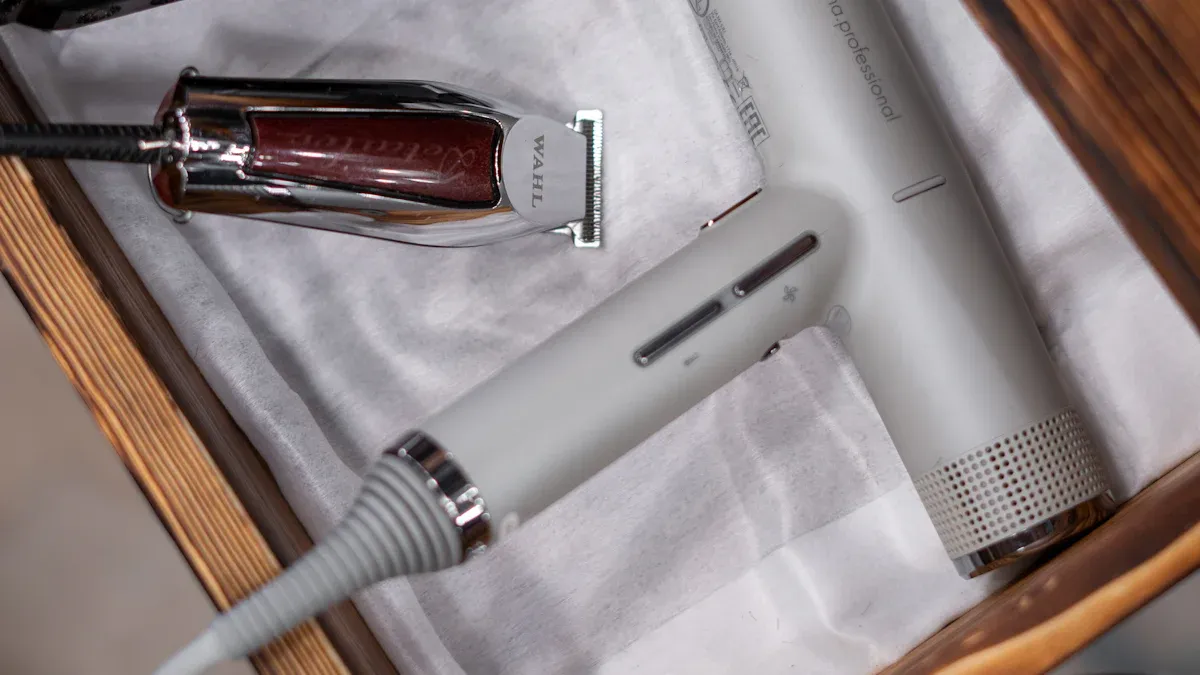
Drawer Storage Done Right
If storing the dryer in a drawer, do not just toss it in. Place it in a soft bag or a dedicated drawer organizer to prevent it from knocking against other items. Ensure the cord is loosely coiled and not pinched by the drawer. This simple care step prevents unnecessary scuffs.
Avoiding Bathroom Hazards
Bathrooms are high-humidity environments. Storing a hair dryer in a bathroom without proper ventilation should be avoided, as moisture can penetrate the device. For less frequent use, a cool, dry location is better.
Storing hair tools in a humid bathroom environment can lead to moisture infiltration, potentially causing internal corrosion, short-circuiting, overheating, or sparking. Initial indicators of moisture damage may include unusual odors or erratic device operation.
Mastering Your Magnetic Attachments
The magnetic attachments are a key feature of the Dyson experience. Proper care and cleaning ensure they function correctly and last as long as the dryer itself.
How to Attach and Detach Safely
The attachments connect with a satisfying magnetic click. To attach, simply bring the nozzle close to the magnetic ring on the barrel. To detach, grip the cool edges of the attachment and pull it straight off. Avoid twisting or prying, as this can weaken the magnets over time.
Cleaning Your Styling Nozzles
Styling products can build up on the nozzles. Regular cleaning is one of the most important tips for performance. Wipe them down with a damp, lint-free cloth to remove residue. For stubborn buildup, use a soft-bristled brush and a mild soap solution, then rinse and dry them completely before reattaching.
Storing Attachments to Prevent Loss
Keep your attachments together with your dryer in its case or on a stand. If you store them separately, use a small pouch or a designated section in a drawer. This simple organization prevents the frustration of misplacing your favorite styling tool.
Understanding Your Dyson Hair Dryer’s Technology
Understanding the advanced technology inside your Dyson hair dryer reveals why proper maintenance is so critical. The machine is not just a heating element and a fan; it is a sophisticated system where each component relies on others to function. This synergy between the motor and its heat control system delivers exceptional performance.
The Digital Motor and Its Needs
The heart of the dryer is its powerful digital motor. This component is a marvel of engineering that requires specific conditions to operate at its peak.
How the V9 Motor Works
The Dyson V9 digital motor is small, lightweight, and incredibly fast. It spins at up to 110,000 revolutions per minute, creating a high-pressure, high-velocity jet of air. This motor is designed to pull a significant volume of air through the handle, which is then amplified before exiting the barrel. Its efficiency is the secret behind the dryer’s fast drying times.
Why Clean Air is Crucial
The V9 motor’s design makes it highly dependent on a clear path for air intake. A clean filter allows the motor to draw in air effortlessly. When the filter becomes clogged with dust and debris, the motor must work harder, which generates excess heat and strain. Unobstructed airflow is essential for protecting the motor from long-term damage and ensuring its longevity.
Intelligent Heat Control Explained
Dyson’s intelligent heat control is a key feature that protects hair from extreme heat damage. This system constantly monitors and adjusts the temperature to maintain a safe, consistent level.
How the Thermistor Protects Hair
A glass bead thermistor, located in the airflow path, measures the exit air temperature over 40 times per second. It sends this data to a microprocessor, which then regulates the heating element. This rapid feedback loop prevents the temperature from spiking, protecting the hair’s natural shine and preventing heat damage.
Tech Insight: This constant temperature regulation is what allows the Dyson to dry hair quickly without relying on damaging, excessive heat.
The Link Between Airflow and Heat
The heating and airflow systems work together. The dryer’s streamlined airflow heating technology ensures the air is heated uniformly as it passes through the device. The components that control the heating element are even cooled by the incoming air. This relationship highlights how a clean filter directly impacts both temperature regulation and drying efficiency.
- The Dyson Supersonic™ hair dryer offers three precise speed settings.
- It also provides four distinct heat settings for total styling control.
- A strong, consistent airflow helps distribute heat evenly, preventing hot spots.
- Reduced airflow from a dirty filter can disrupt this balance, forcing the heat control system to work overtime.
Advanced Maintenance and Troubleshooting
Sometimes, routine upkeep is not enough to resolve performance issues. Advanced maintenance and troubleshooting can address stubborn buildup and decode the dryer’s warning signals. These expert tips help users tackle more complex problems.
Deep Cleaning the Filter Cage
A monthly wipe-down is great for regular maintenance. However, a deeper cleaning is occasionally necessary to restore optimal airflow.
When a Simple Wipe Isn’t Enough
Styling products and fine dust can create a sticky film that a dry cloth cannot remove. If the filter still appears dirty after a standard wipe, or if performance issues persist, it is time for a more thorough cleaning.
Soaking the Cage for Deep Grime
For a deep clean, users can soak the filter cage.
- Remove the outer filter cage from the dryer.
- Submerge it in a bowl of warm, soapy water for at least 30 minutes.
- Rinse the cage thoroughly under running water.
Important: Ensure the filter cage is completely dry before reattaching it to the dryer. A damp filter can damage the motor.
Using a Soft Brush for Details
After soaking, a soft-bristled brush, like a clean toothbrush, can dislodge any remaining debris from the fine mesh. Gently scrub both the inside and outside of the filter. This detailed cleaning action ensures every opening is clear for maximum air intake.
Keeping the Body and Vents Pristine
A clean exterior is not just for looks; it ensures all parts of the dryer function correctly. Regular cleaning of the body prevents buildup that can affect the device.
Removing Product Buildup
Hairspray and other styling products can leave a sticky residue on the dryer’s body and barrel. Wiping the surface with a damp, microfiber cloth will remove most of this buildup. This simple cleaning step keeps the device looking and feeling new.
Safe Cleaning Agents to Use
Users should avoid harsh chemicals or abrasive scrubbers. A simple solution of mild soap and water is sufficient for cleaning the dryer’s exterior. Apply the solution with a soft cloth, then wipe it clean with a separate damp cloth.
Checking the Rear Air Vents
Small air vents are located on the back of the dryer’s head. These vents help cool internal components. Users should periodically check them for dust and wipe them clean with a dry cloth to ensure they are not blocked.
Decoding Your Dryer’s Warning Lights
The LED lights on your Dyson provide important diagnostic information. Understanding these signals is key to quick troubleshooting.
The Flashing White Lights
Continuously flashing white lights are the most common indicator. This signal almost always means the filter is blocked and requires immediate cleaning. Performing a filter cleaning will typically resolve this issue.
The Flashing Red Lights
Three flashing red lights signal a more urgent problem. This could mean a severe filter blockage or an internal fault. Users should take the following steps:
- Perform a Deep Cleaning: The first step is a thorough filter cleaning. Brush both sides of the filter mesh. If the issue continues, try cleaning it with a damp cloth and letting it dry completely.
- Check for an Electronic Fault: If a deep filter clean does not stop the red lights, the device may have a defective electronic card. This requires professional service.
No Lights or Power
If the dryer shows no lights and has no power, users should check the basics first. Ensure the plug is secure in a working outlet. Press the “Test” and then “Reset” buttons on the rectangular plug block to rule out a safety trip. If the dryer still does not power on, it needs professional assessment.
When to Seek Professional Help
Even with diligent maintenance, some issues may require expert intervention. Knowing when and how to contact Dyson support can save time and ensure a proper resolution. Users should take a few preparatory steps before reaching out for professional service.
Before You Contact Support
A little preparation makes the support process smoother and more efficient. Gathering the right information beforehand helps the Dyson team diagnose the problem quickly.
Running Through the Maintenance Checklist
Support agents will often ask about basic maintenance. Users should confirm they have completed these steps first.
- Filter Clean: Has the filter cage been wiped and deep-cleaned?
- Cord Inspection: Is the power cord free of frays or damage?
- Outlet Check: Does the electrical outlet work with other devices?
- Reset Button: Have the “Test” and “Reset” buttons on the plug been pressed?
Documenting the Issue
Clear documentation helps technicians understand the fault. Owners should record specific details about the problem.
- Note the exact symptoms (e.g., flashing red lights, no power, strange noises).
- Identify when the issue started and how often it occurs.
- If possible, take a short video of the malfunction. 📸
How to Reach Dyson Customer Service
Dyson provides several channels for support. Registering the product is the first and most important step in accessing these services.
Registering Your Product Warranty
Registering the hair dryer activates its warranty and streamlines future support interactions. This process links the device’s serial number to the owner’s contact information, making service requests much faster. Registration also provides access to tailored support and owner-exclusive benefits.
Finding Your Serial Number
The support team will always ask for the product’s serial number. This unique identifier is essential for warranty claims and service history.
The serial number is located on a silver label affixed to the power cord, typically near the plug. Users should write this number down or take a picture of it for easy access.
Contact Channels: Phone, Chat, and Email
Dyson offers multiple ways to get in touch with their expert team.
- Phone: Direct conversation with a support agent is often the quickest way to troubleshoot complex issues.
- Live Chat: The Dyson website offers a real-time chat service for convenient assistance.
- Email: For less urgent inquiries, email provides a documented thread of the conversation.
Choosing the right channel depends on the urgency and complexity of the issue. Having all necessary information ready ensures a productive and helpful support experience.
Consistent maintenance is the key for owners to maintain the Dyson hair dryer. Regular filter maintenance prevents the most common issues affecting performance. Smart cord handling and storage protect the Dyson hairdryer from physical damage. Following these steps protects the investment and guarantees flawless performance every time.
FAQ
Can users wash the inner filter mesh?
No, the inner filter mesh is not washable. Owners must only use a dry, lint-free cloth for cleaning this delicate component. Introducing water can lead to motor damage and electrical faults.
Why does the hair dryer shut off during use?
An automatic shutdown typically indicates an overheating issue. This problem is most often caused by a blocked filter restricting airflow. A thorough filter cleaning usually resolves the issue promptly.
How often should a professional stylist clean the filter?
Professional stylists should perform filter maintenance more frequently. A weekly check is recommended due to heavy daily use and exposure to airborne styling products. This practice ensures consistent performance for clients.
Is it safe to use a non-Dyson charger?
Owners should only use the official Dyson charger provided with the hair dryer. Third-party chargers may not meet the required safety standards. Using them can damage the device and may void the product warranty.
What should an owner do after dropping the hair dryer?
After a drop, owners should inspect the dryer for visible cracks or damage. They must check the cord and plug integrity. If the device operates abnormally, they should discontinue use and contact Dyson support.
Can the magnetic attachments be washed?
Yes, users can wash the magnetic attachments. A mild soap and water solution effectively removes product buildup. Owners must ensure the attachments are completely dry before reattaching them to the dryer.
Why is the dryer making a high-pitched noise?
A sudden high-pitched sound often signals a severe filter blockage. The motor is straining to pull in air. The user should immediately stop, unplug the device, and perform a deep filter cleaning.